Ultimate Guide to Internet Speed Testing and Connection Optimization
Learn how to accurately test your internet speed and implement practical tips to enhance your connectivity. This guide covers testing procedures, significance of fast internet, common issues, and troubleshooting methods, ensuring a smoother online experience for streaming, gaming, work, and more.
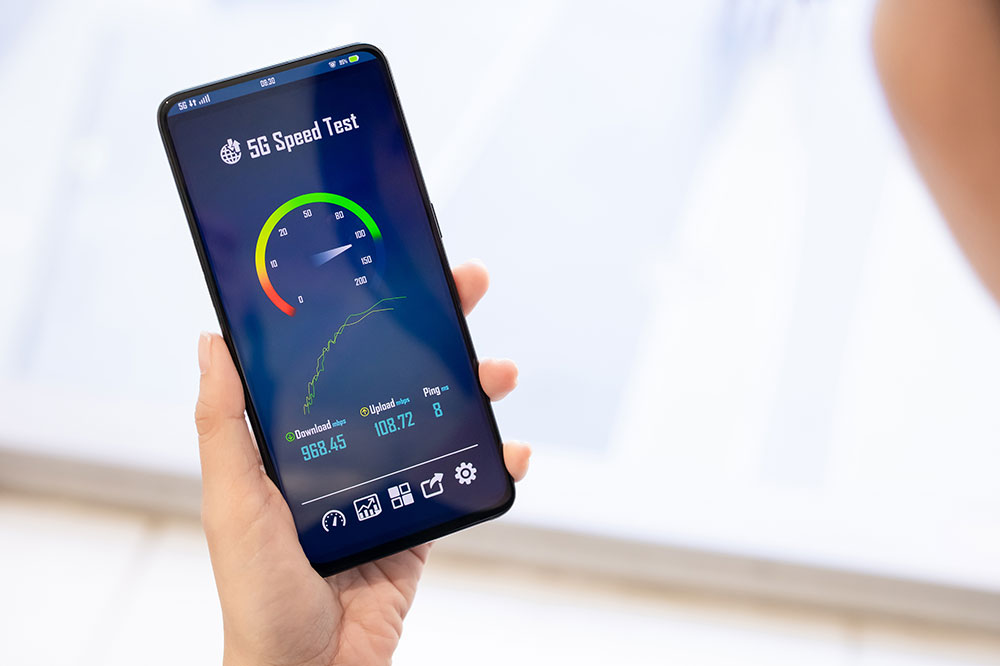
Understanding Internet Speed Tests and Ways to Improve Your Network
Having a stable and fast internet connection is vital for modern digital activities such as streaming, gaming, video conferencing, and browsing. Slow speeds can cause frustration, but there are effective methods to evaluate and boost your network performance. Read on to learn how to test your WiFi speeds and enhance your online experience.
Steps to Test Your WiFi Speed
Make sure no other devices are actively using the internet during testing for accurate results.
Navigate to your preferred internet speed testing site homepage.
Click on the "Start" or "Go" button to begin the test.
The site will display download and upload speeds once testing concludes.
Review your ping, download, and upload metrics. If results are lower than your plan, consider restarting your router or reaching out to your ISP.
Performing these quick tests helps verify your service quality and troubleshoot issues early.
Importance of Fast Internet
A robust internet connection improves your online activities by providing seamless browsing, streaming, gaming, and communication. Benefits include:Rapid browsing: Quick website loading enhances efficiency.
Buffer-free streaming and downloads: Enjoy uninterrupted videos and music, and faster file transfers.
Gaming: Low latency delivers smooth gameplay without lag.
Video conferencing: High-quality, reliable calls for remote work and online learning.
Common Internet Speed Issues and Fixes
Slow internet can be disruptive. Here are typical issues with solutions:
Low speeds
Use a speed test to assess your bandwidth. Reset your modem/router or contact your ISP if speeds are below your plan.
Identify and disconnect devices or applications consuming excessive bandwidth.
Position your router centrally, away from interference sources.
Unstable connections
Ensure all cables are connected securely and in good condition.
Restart your modem and router to reset the connection.
Relocate your router to improve signal strength.
Network congestion
Check with your ISP about network traffic conditions.
Plan high-bandwidth activities during less busy hours.
Upgrade to a higher-speed plan if needed.
Keep your networking equipment updated.
Accurate diagnosis and support from your ISP are vital if issues persist. Understanding what influences speed allows you to optimize your online use.
Factors Affecting Speed Test Results
Download speed: Affects how quickly data is received, impacting streaming and browsing.
Upload speed: Influences file sharing, emails, and live calls.
Latency: The delay in data transfer, measured as ping, affecting gaming and real-time interactions.
Keep in mind, the number of devices and your online activities can influence these metrics. Regular testing and adjustments ensure you get the internet speed you're paying for, minimizing delays and disconnects. Consistently monitoring your connection enhances your daily digital experience.