Home Security Camera Guide: Types, Features, Installation & FAQs
Compare wired vs wireless, indoor vs outdoor cameras. Learn key features like night vision, motion detection, and installation tips. Enhance home security.
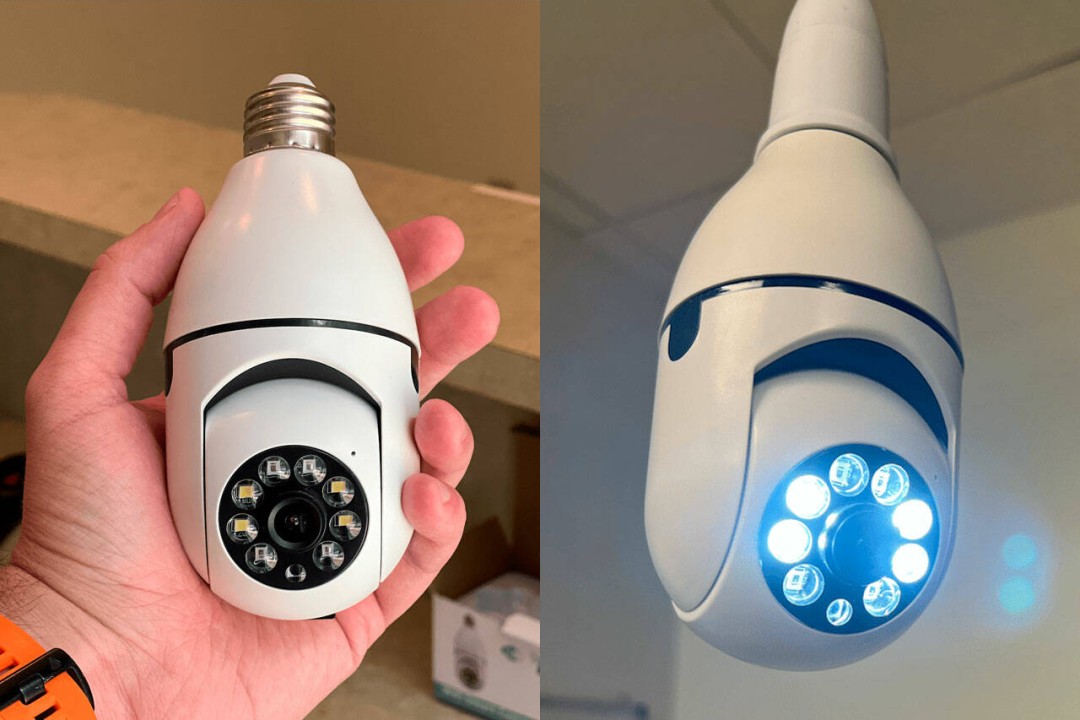
Choosing the Right Home Security Camera
Security cameras are a cornerstone of modern home protection. This guide breaks down the key types (wired vs. wireless, indoor vs. outdoor), essential features, installation best practices, and answers common questions—helping you make an informed decision.
Camera Types: Wired vs. Wireless & Indoor vs. Outdoor
Wired Cameras
Wired systems offer a stable, high-quality video feed directly connected to a recording device. They are less prone to hacking and signal interference but require professional installation and are difficult to relocate. Ideal for fixed, high-priority areas.
Wireless Cameras
Wireless cameras connect via Wi-Fi, allowing easy installation and flexible placement. Many support remote smartphone access. Downsides include potential signal interference and battery maintenance (if not hardwired).
Indoor vs. Outdoor
Indoor cameras are compact, often feature two-way audio, and are not weather-resistant. Outdoor cameras are rugged, weatherproof, and typically include night vision. They are more visible and may be tampered with, so placement matters.
Key Features to Consider
| Feature | Importance | What It Does |
|---|---|---|
| Resolution | High | Determines image clarity for identifying faces or plates. |
| Field of View | Medium | Wider angle covers more area, reducing camera count. |
| Night Vision | High | Infrared LEDs capture clear footage in darkness. |
| Motion Detection | High | Alerts you only when movement occurs, saving storage. |
| Two-Way Audio | Medium | Allows communication through the camera app. |
Installation Tips for Peak Performance
Placement: Install cameras at entry points (front/back doors, garage). Mount 8-10 feet high to prevent tampering while capturing clear faces. Angle to minimize blind spots; overlap fields of view if possible.
Connectivity: For wireless cameras, ensure a strong Wi-Fi signal. Use extenders in larger homes. Wired cameras need secure cable routing.
Power: Battery-powered wireless models need regular recharging; consider solar or plug-in options for continuous operation. Wired cameras require access to electrical wiring.
Common Questions
Can I use a camera without internet? Yes, local storage (SD cards) works, but you lose remote access.
Privacy concerns? Avoid aiming indoor cameras at bedrooms or bathrooms. Inform household members.
How to prevent hacking? Use strong passwords, update firmware, and avoid default credentials.
Power outage? Use a UPS or battery backup to keep cameras running.
Maintenance? Clean lenses every few months, check connections, update software, and replace batteries as needed.
Selecting the Right System
Evaluate your budget, areas to monitor (indoor vs. outdoor), desired features (night vision, two-way audio), and ease of use. Prioritize high-risk zones and match the camera type to your environment. Research models and read reviews before purchasing.